How do I update my profile information?
The profile picture will be the first thing customers see when viewing your profile. This should ideally be a picture of yourself or your business logo. Here is an example of a good profile picture
To create or update your profile on ClickMechanic, follow these steps:
-
Sign in to your ClickMechanic account.
-
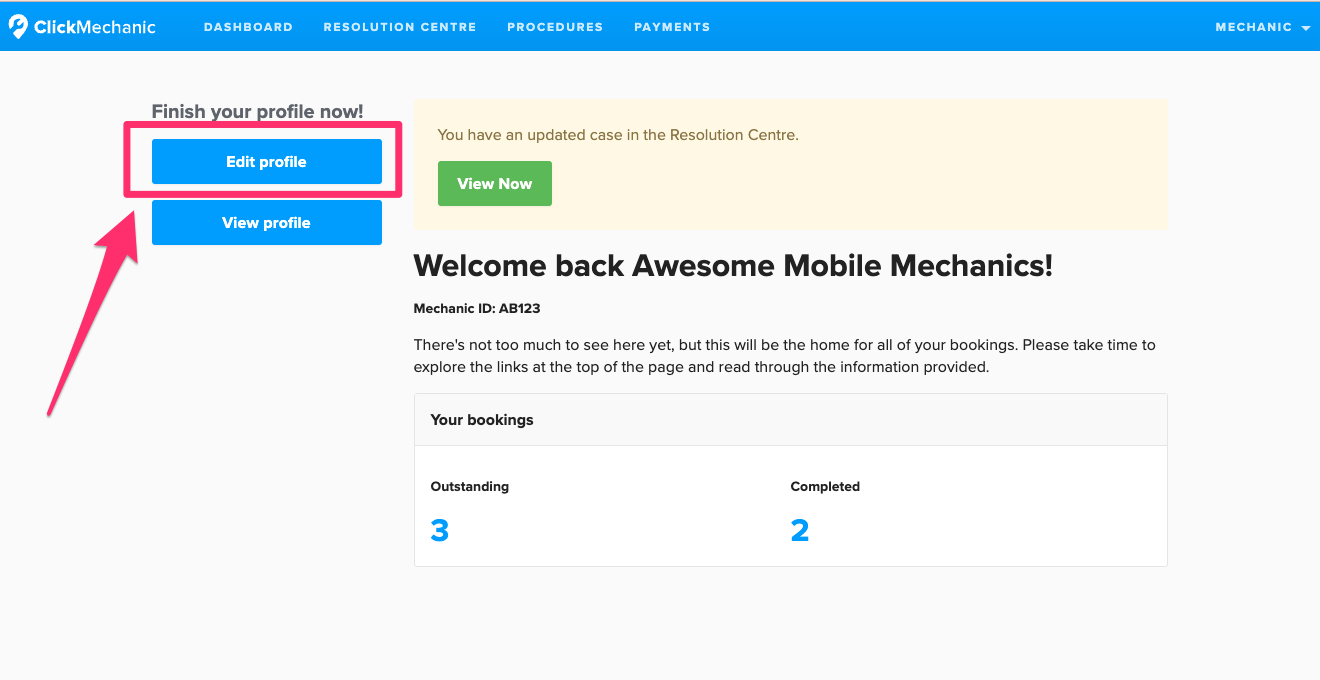
Click ‘Edit Profile’.
-
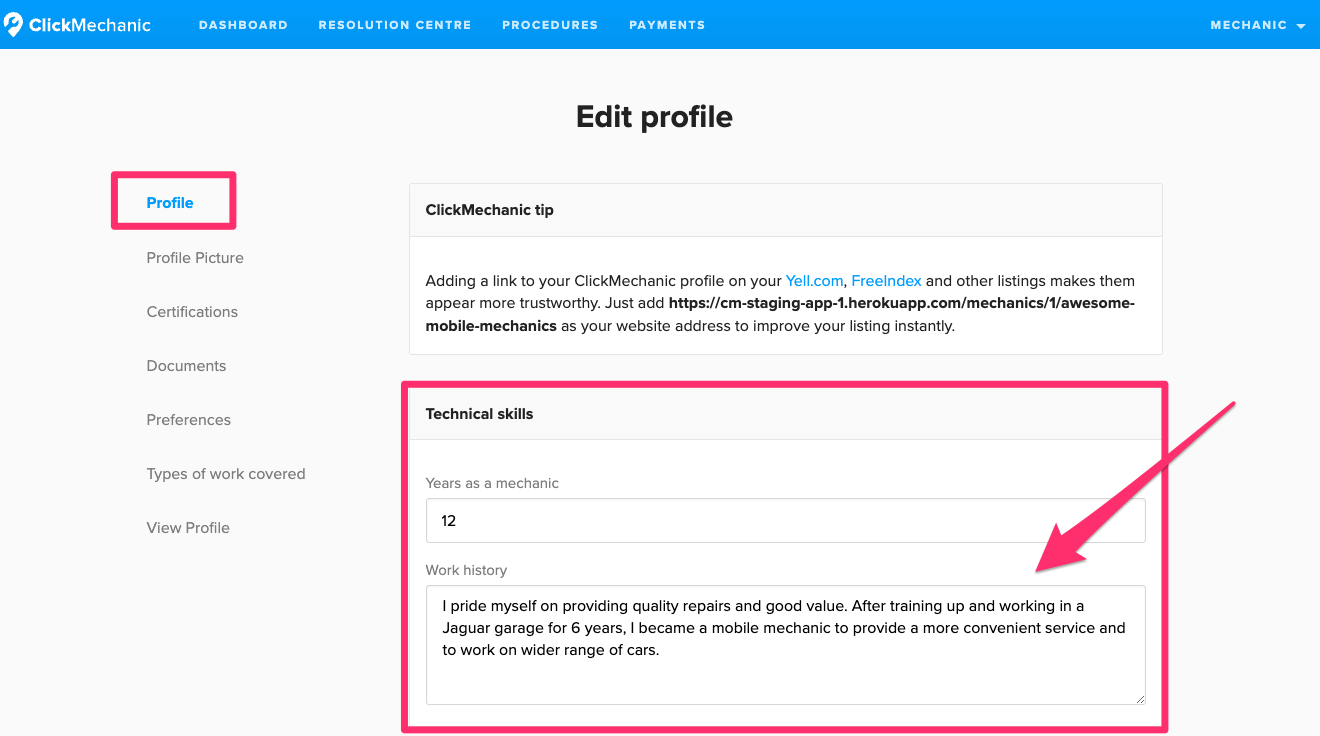
Select 'Profile', enter your bio in the provided text box, and scroll down to click ‘Save’.
-
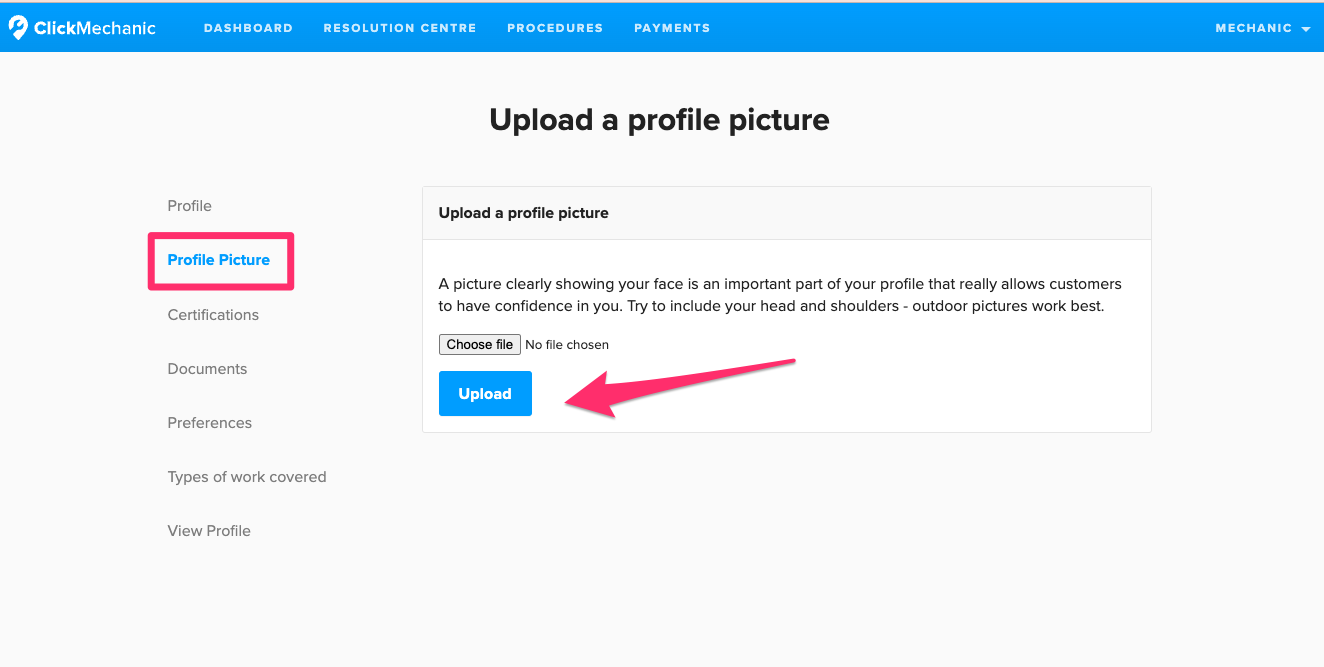
To add or change your profile picture, click on ‘Profile Picture’ on the right-hand side and upload an image of your choice.
For inspiration, check out our example below to see how to best present yourself.
Comments
0 comments
Article is closed for comments.