How do I pause job notifications while I’m on holiday? Can I take time off without affecting my account?
🌴 Heading on holiday? Enjoy your well-deserved break! If you’re unavailable for bookings while away, you can easily update your availability in your ClickMechanic account to ensure you don’t receive job notifications during your time off.
How to Schedule Your Leave:
1️⃣ Open your ClickMechanic Dashboard
2️⃣ Click on ‘Edit Profile’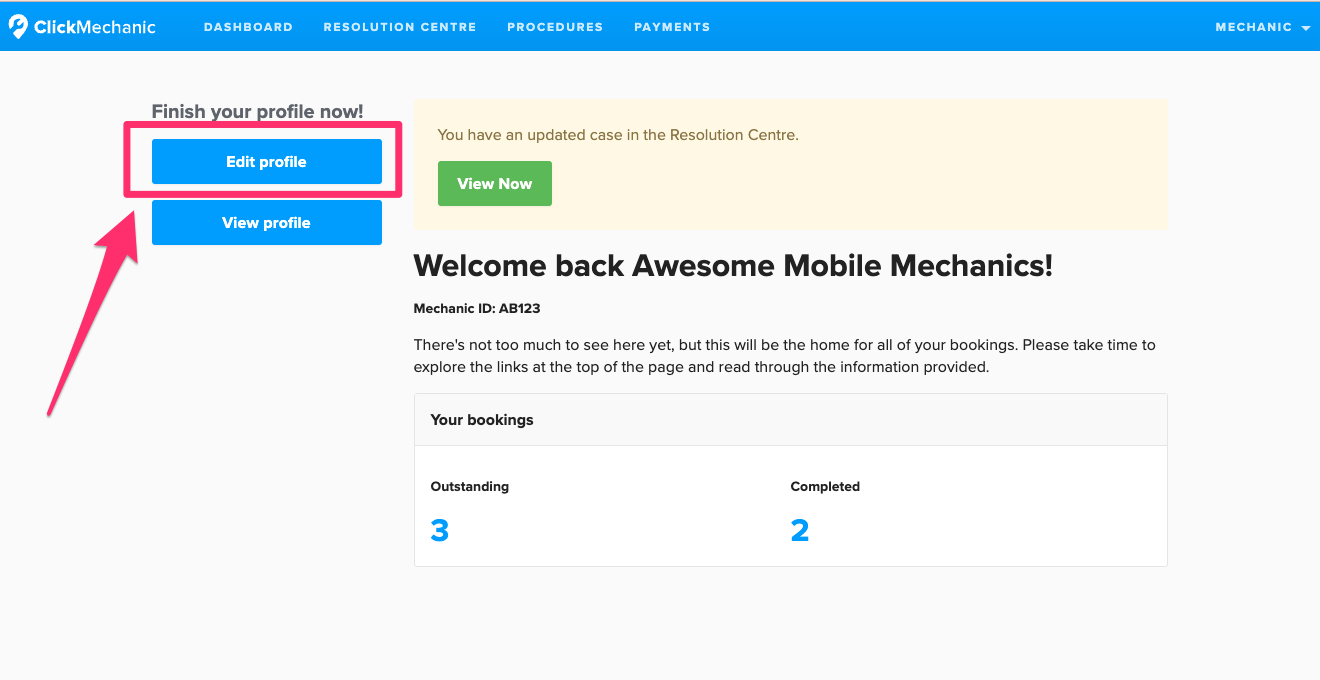
3️⃣ Navigate to ‘Preferences’ in the sidebar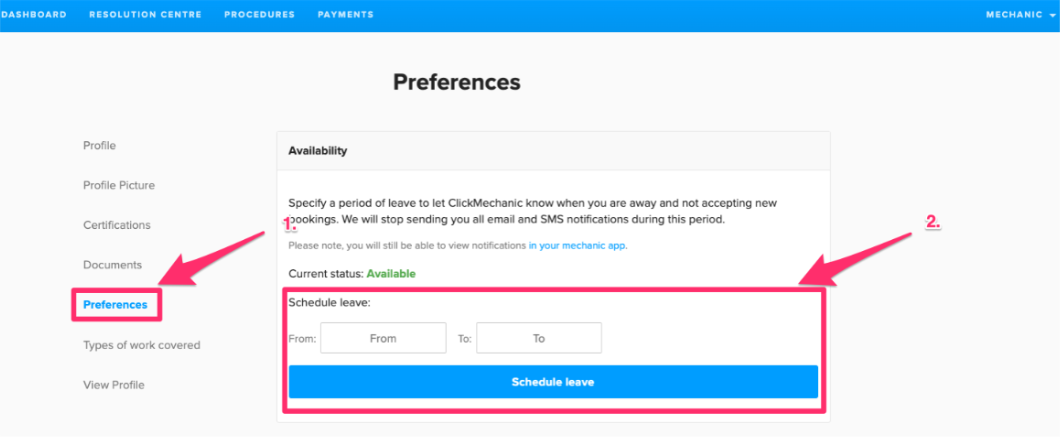
4️⃣ In the ‘Availability’ section, enter your start and end holiday dates
5️⃣ Click ‘Schedule Leave’
🎉 That’s it! Once scheduled, you won’t receive job notifications during your leave. However, if you log into the ClickMechanic app, you can still view and accept available bookings if you wish.
Comments
0 comments
Article is closed for comments.